Tampilkan postingan dengan label custom. Tampilkan semua postingan

Minggu, 22 Mei 2016

Blogger provides an option to set up a custom domain to point to your blog. However, There is no common way that this can be done. It depends on where you bought your domain domain.
Many people buy domain names on godaddy, for different reason. We will go through a step by step tutorial on how this process is done.

I have read some tutorials on setting up a custom domain on blogger with +GoDaddy . I noticed that the screen shots are not typical of the current godaddy.com design. This screen shots here are typical of what godaddy.com looks like ,September 2015.

In order to apply this tutorial to you blog, you must have the following
1. a blog hosted on blogger
2. a domain name registered on godaddy.com
          When we talk of setting up a custom domain on blogger, we mean using you own domain name to point to your blog not the way given to you by blogger.

There are two ways this can be done:
 I. on  subdomain for example(sms.ransbiz.com)
You might decide to use a subdomain if you want use your domain name on another website.
For example an oil company that  has a website might want to use blogger to write articles about their service.
if the domain name for the company website is say  ransbiz.com,
the company can choose a subdomain name   blog.ransbiz.com to point to their blog on blogger.

 II. On a top level domain(e.g ransbiz.com)
In this tutorial, i will show you how to set up a top level domain to point to your blogger blog.


 Set up your top Level domain to point to your blog on blogger.
==stetp1
Go to you blogger dashboard==>settings==>basic and click on  set up a third-party url for your blog


 ==STEP2
Enter your domain name (make sure you use www.) and click on save, the following will display on your screen.
You will need the information indicated with the two red lines
==STEP3
Go to your godaddy account and fine your way to my domais tabs ===>Click manage.
If you can  not do it, then follow the screen shot below(Note that there are several ways to do this )
==STEP4

 Click on the domain name you want to use ==> Click on DNS Zone File


Scroll down to where you see CNAME(Alias)


 under host you will see www  already wriiten.
click on the pencil icon to edit. Under point to, type
ghs.google.com(you can remove whatever is written there)
If you cannot find www already typed under Host, Follow the instructions in the next steps. Make sure you have something like this.
                              HOST                                      Point to
                              www                                       ghs.google.com

 ==STEP5
We have used the first CNAME indiacted on step 2
To enter the second CNAME(See second RED line on step 2)

Click on Add Record at the top==>select CNAME as on the screen shot above   and input the following

In the field for host
Copy and paste  info1 (step2)
Also copy and paste info2.googlehosted.com into the point to field.
Click on Finnish when you are done.
make sure you click on save on the red tab.
At this point we have directed our custom domain to a blogger blog. But we will receive errors when someone type your domain name without the www.
STEP6
To enable this, go to add record==>selecet  A (Host) and enter the following IPs.
Host            Point to
@
      216.239.32.21
@
      216.239.34.21
@
      216.239.36.21
@
      216.239.38.21


After entering the first click on add another untill all the 4 IPs are entered.
Then clik on finnish and again click on save changes displayed in Red.
      At this point, return to your blogger and Click on save.
Your will see the domain name displayed.

Click on edit beside the domain name and  Select the box displaying something like this.
 
                         Your can now enjoy your custom domain on blogger.
Have you set up a custom domain with another host? Share with us how easy it was.
Read More..

Selasa, 17 Mei 2016


http://www.earnonlinewithruth.com 


Get Custom Banners of any Size!


Not good with graphics? Or blending colors? Not techie? I can help you! I enjoy creating custom banners and images, and spend way too much time playing with creating graphics. 


I know that many individuals don't have the time or experience needed to create their own images/banners. I'd love to create your custom images!

... Click HERE to READ MORE...
Read More..

Kamis, 05 Mei 2016

How Many People Use Facebook user using Facebook in the world or worldwide 2015, This question also may be appearing in your mind. After sharing on Top 10 Most Liked Facebook Pages, Today we are sharing about average how many user using Facebook. You know that As of 3rd October 2013, there are 500 million,  Now you can say it that this social networking site is the world most using social site. As you know that now days most people are giving more time on social media site, People are love their social media account because they are connected to their personal life,
Dont Miss - Facebook for kids under 12 for Parents Guide

This is world wide social networking site.
Its using most countries and also in top rank.
Its 70% users coming from out of United state.
Its also have best place in Alexa Traffic Rank.
Dont Miss - How to get More Facebook followers Free 

How Many People Use Facebook worldwide image photo

How Many People Use Facebooks worldwide 2015

When Mark Zuckerberg  the owner of this social networking site found this site, Sure he dont think that, He is giving world most using site to world, Now days after Google its most using website, Google and this social media site are different, This is a social networking site and Google is a search engine and Google also have many miner search engine like Google.in and similar like that, But Facebook is one and have 83%  active users, Its have 33 millions users.

Dont Miss - How Facebook Makes Money From Users likes and by Ads

How Many user Facebook have in worldwide image photo


How Many Facebook User i Europe

James Quarles, which is regional director of Europe, Some lines asking by James Quarles that in Europe people starting their day by logging in this social networking site, and when they will going to sleep or most are using watching this social media site before sleep.  UK is also a big place of active Facebook users, Here most people using this social networking site on their smartphone.

How Many User Using Facebook on Mobile


As you know that now time of mobile phone, Most are using new features mobile, But you know that smart phone are most using now days. You know world wide 26 millions people using this social networking site on mobile phone.on April 2012 this social networking site had over 900 millions user through mobile phone. You know that 70% USA  this social networking site user are using this special networking site on their smartphone. So we can say that this social networking site is mostly using mobile phone.

Final Verdict About how many New and Old people are Using Facebook

I hope you liked and enjoyed this guide about how many people use Facebook and found it useful for you. If you have any questions or suggestions regards this guide, feel free to ask in comments section. Guys this data is not fix, I means day by day new Fb user also increasing, Some are lefting but new user so fast connecting, So we can say it that this is not fix but its good for knowledge. For more Facebook news, also latest updates of Facebook and all new information about Facebook, keep visit.

Read More..

Kamis, 21 April 2016

How to Make and Design a Custom Facebook Landing Page or How to Create a Facebook Landing Page 2014, Most Facebook user need It is really important and most of the internet users need landing pages and it is found that landing pages are considered as the weakest link of conversion chain. It is also seen that most of the internet marketers doesnt prefer or focus on these pages. I have seen some of the best and top landing in my free time and found the best tips upon analyzing and sharing here with you. I will also mention the poor and best landing with examples so that it will be easier for you to understand and learn.

Lets have a look at this guide on how you can create your Facebook landing page that will be profitable and best for you. Lets read more about of make it and using this just design a best.

Dont Miss - How To Create Best Facebook Cover For Your Page And Timeline

How to Make a Custom Facebook Landing Page image photo

How to create or design A Best Facebook Landing page

Focus
The very first thing that you should need to keep in mind that the main headline of your pg should be matching with ads copy  and make it attractive so that I will force the visitors to correct on it. Using PPC traffic and pointing it directly to your normal homepage is not good and considered as "game of bait and switch". It is really important for you to offer the product or service to the user. Potential customers will be going too distracted from the conversion so that it will be better to refer them to the right path they are looking for.

You May Like - How To Create a Facebook ID identity Card by application

How to create a Custom Facebook Landing Page image photo

Remember you have only a very few seconds before a potential customers decides whether he/she should need to stay for go. It will make their choice very easy and offering something good to them so that they can be attracted or focus towards your main target of landing page. It is also found that landing pages with low bounce rate helps in better conversion and good PPC campaigns as well.
Be Brief

Tips and Tricks for Create Facebook Landing Page


Always make sure that your landing page has some kind of main purpose and main focused purpose or message. Also the business offerings that you are providing to people should be clear, easily recognizable and target for user’s motivation. It is also necessary to use images and bullet points in order to make your main point or information clear to the user.
Show It

Dont Miss - How to find a girlfriend on Facebook

Show It
Always take advantage of images and videos so that it will show the main idea or theme of your product or service or anything which you are promoting through your landing page. Yes this is really necessary and you should need to show your visitors or customers what exactly product or service you are offering to them.  This with short video about product information converts more and attracts more than 80% to buy the product.

Always Be Testing For create best Facebook landing page

I have now shared all exactly about the Facebook landing page guides and all those tips and points that you should need to focus and try to improve which many result in better conversion and more sales of your service or product or anything you are promoting.
If you have any queries regards this guide about Facebook  landing page guide, don’t hesitate and feel free to ask in comments section below.

Final Verdict about How to create best Facebook landing page

I hope you liked and enjoyed this guide about How to create best Facebook landing page and found It useful for you. If you have any questions and suggestions regards this article, feel free to ask in comments section. Guys this is useful tips and tricks for create a Facebook landing page, Using this you can make and also you can Design a Custom Facebook Landing Page very easily, If you need more information on Design a Custom , then just visit our another post for make or create Facebook Landing Page. For more tips, tricks and also best and useful collections of  apps for make or create a Facebook Landing Page keep visit our blog.

Read More..

Jumat, 11 Maret 2016

zoho.com  is a cloud computing company that provide online services . This services can only be accessed and managed on zoho.com. The company a wide variety of online services. In this post we will focus on the email service .

Custom email are very important. think of it when you get an email from say mtn@gmail.com. The question of who sent the email will always be in your mind since any body can get a free gmail account. But an email like  collinsmazu@2545bc.com gives a lot of information about the sender. You can verify the site 2545bc.com and have an idea of what type  of services they offer. To make sure you build trust in your online presence as a business trying using a custom email .  Here are steps to create your custom email.
You should have a custom domain  if you want to apply this tutorial. 
====> go to   https://accounts.zoho.com/register?servicename=ZohoHome
to create an account. Make sure you confirm your account by clicking on the confirmation link in your inbox.
===>   Type zoho.com on a new tab and  click on Mail


==> Enter you domain name (option one Add domain)
==> After adding the domain you should see a message like this

<<Congratulations!
You have successfully signed up for the Free plan for your domain. You can easily set your domain for email hosting, and add upto 10 email accounts in your organization setup. You can upgrade to any of our paid plans in case you want to add more user accounts.>>
==> Click on the Set up link at the end of this message.
==> You will be taken to a page(Verification page)  with your zb id displayed (about 12 characters).
Zoho provides support on how to create  cnames for different host. I am using Godday.

Verifying using CNAME method.
For  Godday,  sign in to you account==>select the domain you want to use===>Click on manage domain ==> DNS ZONE==>add record==>select CNAME and enter the following;


Make sure you save the changes made.
==> wait For about 30minutes for the changes to be effective. Return to your zoho account and click on verify to verify CNAME
==> If the CNAME  was created properly, you should see  the second congratulation message.


You can now enter your email  for example, ransom@RANSBIZ.COM.

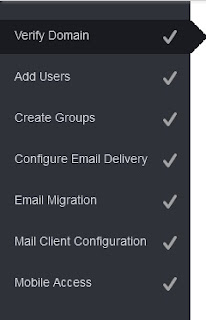
Add users and create groups if you want or just skip.Again you will need to configure email delivery.


                CONFIGURING THE EMAIL DELIVERY
Return to your goddady account and click on add add record. ==>Select M X(MAIL Exchanger) and enter the records displayed  below
Click save and confirm  the records are added properly.
You can now receive email to your personal email .

DO YOU HAVE ANY EXPERIENCE WITH Zoho Mail?


Read More..