With the update of some XML syntax rules,elements and others by W3 Schools, it is very common today to hear of parsing a code . This word is becoming very popular to those monetizing their content with AdSense. Let us get to talk a little about this.

 Proceed as follows using the minified code
 With this were are done and your code is ready . You can now put it in the position you like on your blog.
Note that this was example is for the synchronous code.
 Select Orientation from the drop down menu and select Land Scape and save or click on ok.
NB: If land scape is already selected, you can select Landscape (flipped) instead
Share any method you know .
Read More..
For more about modifying asynchronous codes, read
How to Add Adsense Code into blogger HTML Without Parsing Error Message
What does it mean to parse a code?
The word parse according to techterms.com is used in computer science to refer to reading a program code.
The standard web language nowadays is HTML and as such, developers are trying to convert other languages to this standard. That is the basic explanation of parsing. There are several ways which this word can be explained depending on the context.
Parsing any code will require a Aparser which is a software component that takes input data in the form of text and builds a data structure giving a structural representation of the input, checking for correct syntax in the process(wikipedia).
what about Adsense code Parsers?
The major thing i noticed about most adsense parsers is that they
replace ‘’< ‘’ with < and ‘’> ‘’ with > which are two among the five 5 pre-defined entity references in XML.
Will the adsense code work in my html code when parsed?
Well, i noticed that on blogger plat forms, parsing the ad code does not make it ready for use in your blog. This leads us to a very similar term called Ad tag minification.
What is Ad tag Minification?
Minification is the process of compression code from the original size to the smallest size and does not affect to the operation of the code. It also invoves removing parts of a code that ar invalid.
To make things short, with the ad sense code, for you to implement it correctly on your blogger You need to minify the code and next parse the code.
So we will take an example with a synchronous ad code.
Here are the steps we will take to remove implement it.
Note that this was example is for the synchronous code.
Hello to , last week, a friend of mine called requesting help.
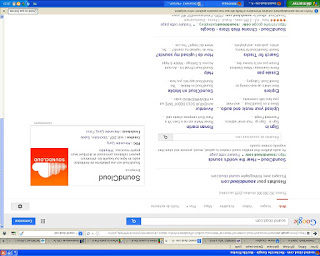
What was his trouble ? computer screen was displaying upside down.
If you are having a similar proble, please don’t panic. Your computer is perfecly ok. Here are some ways you can solve this
Method one. Short cut
Press Ctrl+ Alt and at the same time press the up arrow in navigation keys. You can have fun by testing the other keys.
Method2; On SOME COMPUTERS
Right Click an empty space anywhere on your desktop and click on screen resolution. Select Orientation from the drop down menu and select Land Scape and save or click on ok.
NB: If land scape is already selected, you can select Landscape (flipped) instead
Share any method you know .


